Showing posts with label GridSpace. Show all posts

Saturday, March 31, 2012

GridSpace Open-Sourced

Hello.

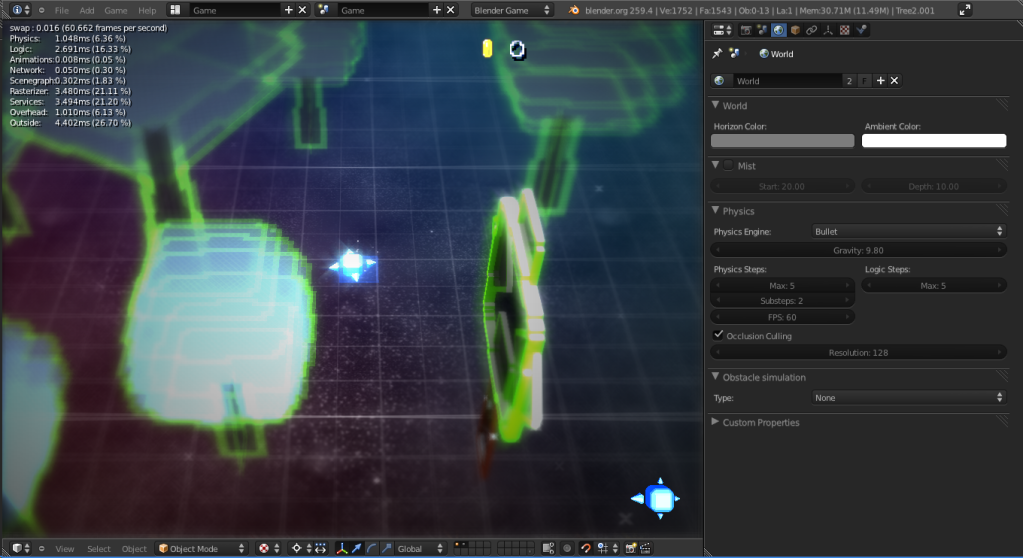
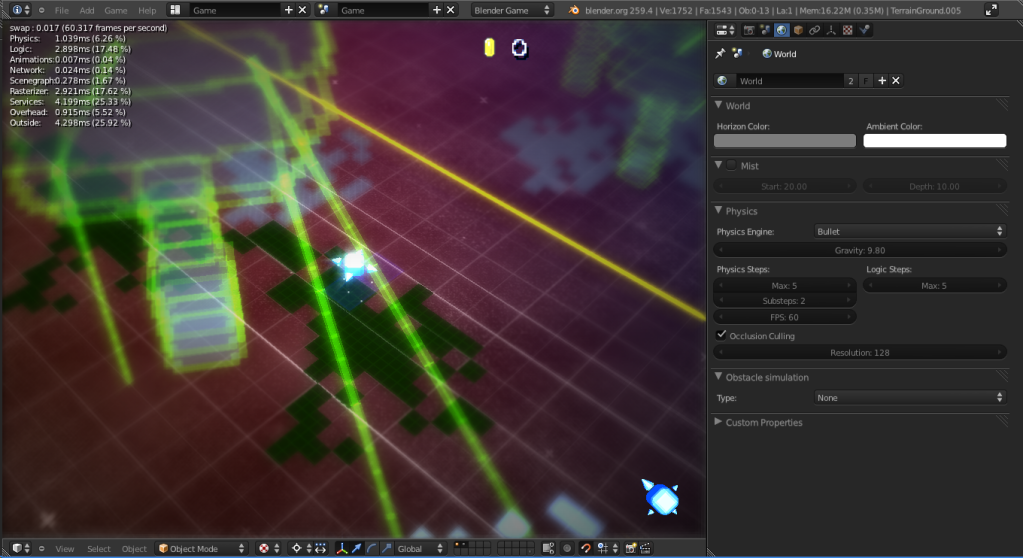
As you probably know, my first 'public' game project, GridSpace, was something that I wanted to make and complete. However, I'm not planning on doing much with it (as I've already got too much on my plate game development wise), so, I've decided to open-source this project, letting whoever wants to, to step up and check out the source .blend file. Feel free to see you would like to do with it. I might stop by once in awhile to work on the project, depending on what direction people go with it. :)


Thanks a lot for checking it out and looking into it.

EDIT: By the way, this also contains the first release of my screen filter module, the SFL module. This module allows you to apply screen filters with custom values like strength and distance with a single line of code. It works pretty well, I think. You can check out its usage in the Game.py file's setting for Bloom and such. :)

GridSpace, (the blend file, graphics, code, and other resources present in the blend file or otherwise packaged with the project) is released under the Creative Commons Attribution-NonCommercial 3.0 Unported License. You must not use it for commercial purposes, and you may derive works from it.

If you want to use the source blend file, materials, textures, models, or code commercially, you have to get permission from me.

The SFL, XEmitter, XParticle, and BGHelper are public modules that you may use commercially, however.

This version contains my first release of SFL, which is a screen filter module. It contains lots and lots of useful filters, like Desaturation, Radial Blur, Bloom, Cross-shaped Bloom, and many others. It's pretty useful, I think. The advantage of it is that it's far easier to integrate into your project, and you can customize it. The general idea is like this:
  1.     from bge import logic
  2.     import SFL
  3.     cont = logic.getCurrentController()
  4.     filter = cont.actuators['2D Filter']
  5.     filter.shaderText = SFL.Bloom() # Set the filter's shader to low-quality bloom
  6.     filter.shaderText = SFL.Bloom(quality = 2) # Set the filter's shader to higher-quality bloom
  7.     cont.activate(filter)

As you can see, the SFL module consists of functions that return a shader, customized to your needs. Each shader has different parameters that you can use to customize its behavior. It's fairly useful. By the way, I think I got the Chromatic Aberration filter from leonn, and the bloom filter is credited to the Yo Frankie! project.
 
Download link below!


EDIT: Here's the link. Download - MediaFire
Thursday, October 20, 2011

Forests and Trees

Hey. So I'm working on the forest area in GridSpace. It's not going too poorly.


Currently, I'm working on getting the trees to look more interesting, as right now, they aren't forest-like enough. :I

I have quite a ways to go to get it to look nice, but I think I know how I want it to look.

Sunday, October 16, 2011

IT'S BACK ALIVE.

Sorry about the lack of updates. However, I started working back on GridSpace again, and I've started to make some major progress.


I decided to add trees, and work on the general design and feel of the world, rather than simply making bases, towns, and zones to explore. By designing the world from the inside out (from the Player's starting position), and adding walls, canyons, and basically restricting the world's design and size, I can make a more controlled environment - one that I can, hopefully, continually work on successfully.

I've decided to basically scrap the level design I had (which wasn't really anything), and start out actually designing a world, rather than just placing objects randomly about. I still have to tackle a lot about level placement, but I know that I want a mix between organic ideas and places, but with bright, neon visuals. So... Yeah.


Sunday, June 19, 2011

A Little Speed Increase

Hi. So, while working on GridSpace, I was getting a little discouraged because the FPS was dropping, and I was unable to maintain a consistent 60 FPS.
I found out that the main problem seemed to be that NPCs were their scripts running constantly - fixing it so that they only work when on-screen helped to fix it. I'll have to work on optimization, but the BGE is quite capable of pretty much any project a developer can throw at it.

Also, I've got a health bar up and running now. Moving over corruption will take your health away, also running into enemies or their attacks.

Friday, June 17, 2011

Cleaning Up and A New Enemy

Hey. So, I've worked a bit more on GridSpace - I've cleaned up the game world a bit and added a little more detail to the background. In addition, I've worked on optimizing how the particles work. One major part of that is rather than having the corruption zones spawn the particles rising, a screen-wide object that spawns the rising dark bits when near the corruption zones.


In addition to those pictures, I've worked on a new enemy - the Tank.


A tank is a heavy, hard to take down enemy that you can't directly attack with your spinning blade. You'll have to take it down from afar. It could go the other way, now that I think about it, though, where you have to ram into it, making attacking far more difficult. >:)


Anyway, I've gotten a better method of taking screenshots, which is how I got these more action-y shots. So, that's about it, so far.

Monday, June 6, 2011

Messing Around

Hey. So, I haven't done a lot of things with GridSpace recently. Mainly, I've been just playing it a little and adjusting some little things.

So far, I've got a better, cross-shaped bloom filter, as well as a little bit more of the corruption zone.

The corruption zone will be a little maze-like, but hopefully won't be confusing. I need to think of different ideas to implement into the corruption area so that it's not just branching pathways, but an actual area with different parts to discover and access.

Monday, May 30, 2011

Left My Computer On - Corruption Area

Well, I left my computer on overnight, and it made some sort of weird corruption area in the game... I don't know what to make of it. It's all weird and... alternate...space-y...

Really? Nah. LOL - This is a screenshot showing an area of corruption that you will have to avoid in GridSpace. Floating straight into these corruption patches sucks your health away, so you would do well to stay off of the corrupted panels. However, a certain ship type might be able to bypass this corruption...?

Sunday, May 29, 2011

GridSpace Update - Video Update 5/29/11

Here's a video update showing the progress made so far with GridSpace.

I've got a shop up and running, as well as a new weapon (nothing really, since the last update, but I posted a video showing it).

Monday, May 23, 2011

GridSpace Update - Shop Prototype and the LightBead


Hey. So here's another update from me on my game, GridSpace. So far, I've gotten a shop prototype working where you can purchase an item - my first long-range weapon implemented, the LightBead!

So, the shop prototype's working out pretty well, right now. As can be seen above, the shop works alright - you approach a panel to interact with it. When you do, pressing the Shoot key advances the message so that you can see information about the item that you're over. Upgrades and weaponry can be bought with the Creds that you gain from enemies defeated in-game.

The picture to the left shows the LightBead in action. Close-range in addition to long-range weaponry are two of things that set this game apart from other top-down shooters of this theme, and I hope that it will become more polished and fun with time.

The last picture here shows what GridSpace looks like when the settings are set to the max (best quality Bloom and reflection). My computer can get a pretty reliable 40-50 FPS in-game with max settings - with lower quality reflections, it can easily maintain 60 FPS (except when a lot's going on, which will happen in this game). In any case, I hope it'll be a fun game.

Tuesday, May 17, 2011

GridSpace Update - A Shop and An Enemy

Hey. So I've gotten working on another couple of features - I've implemented a new enemy, and I'm working on a shop for the outpost.

I've got a Gear on my six!
The enemy was a little more difficult than I would've liked - the main problem was his tracking behavior. My math was off a bit on how he moved toward the player (since he doesn't move directly at the player, but targets him and aims for him, turning when necessary).


A simple shop prototype.
As for the shop, I'm getting a simple shop up and running where you approach the panel you want, and press the Shoot button to purchase it. When you want to equip the panel, you approach a Save location to outfit your ship. While this works, it might be a better method to allow the Player to outfit / alter his ship (outside of purchasing upgrades) at any time. This will have to be considered.


Tuesday, May 10, 2011

GridSpace Test Video

Hey. So here's a test video showing my progress on GridSpace. Sorry about the quality and black screen at the end, but the point gets across (I hope).

Sunday, May 8, 2011

GridSpace - Transparency Fix and Galaxy

Hey. So here's the next update for my BGE game, GridSpace. So far, I've managed to fix the transparency fighting problem by pushing the transparent planes to a background scene.
It works well, but it took a bit more work than I'd have liked. Unfortunately, modifying the landscape will be a bit more difficult (making drops, for example, would require that I change the invisible floor in the game scene, as well as modify the floor in the background scene).

I've also added something that might be a bit excessive...


As you can see, I added a galactical swirl-type of effect in the background. It's a bit bright, but it conveys a nice effect, I think. Anyway, that's about it.

Saturday, May 7, 2011

GridSpace Update - Colors, NPCs, and Transparency

Hey. So I've updated GridSpace a bit - I managed to get it to look more interesting with color changes.
As you can see, the old version looks far more washed-out than the current version. I like the difference.

Previous world.

So, I've also added NPCs (Non Player Characters). The idea behind these NPC characters is that they are geometrical shapes like you, who live in towns in the game. You can communicate with them by simply approaching them - the NPC will automatically display their message to you. If they have more to say, then there will be a prompt for you to press on. Shopkeepers will be one kind of NPC, and they'll have different items and upgrades for you to purchase with Creds.
Current world, with adjusted colors.

As you can see in the picture below, when you approach the NPC, its message will appear. However, there's a bit of a problem - transparency.


The BGE has a bit of a problem with transparent objects, in that if there are two transparent objects on top of one another, then the BGE will sometimes fight with / confuse which object gets drawn first. This causes the problem with the screenshot shown at the bottom - the grid is drawing over the message window.

I am currently looking into solutions for this problem, the main one being to push the grid, background, and reflection plane layers into background scenes to ensure that different objects will never fight for drawing order. Anyway, that's the progress so far.

The message box displayed in grid space.


The grid space overlaps the message.

Friday, May 6, 2011

New Game Project - GridSpace

Hey. So here, I present the beginning of a game that I'm making in the Blender Game Engine - GridSpace.
GridSpace is a game inspired by neon twin-stick action shooters like Geometry Wars, but aims for a different genre in the gameplay. Rather than just being simple arena or level-based shooters, GridSpace will aim to be a more action-oriented game. The idea is similar to games like Geometry Wars or Echoes that you take control of a ship, but rather than simply shooting at enemies from a distance, more close-range types of weapons will be available to you, like blades or whips. Right now, the only available weapon is a spinning blade, which is how I managed to get the shot at the top of the page (it's a realtime game screen).


GridSpace will hopefully also be a more open-world kind of game, where you can visit a town to talk to NPCs and purchase items, upgrades, weaponry, and even different ship types (with their own statistics and special abilities). Also, you will be able to help out, and be helped by NPCs (hopefully). Anyway, this is fairly preliminary, but I feel that I can finish it, given enough time.

Page

Powered by Blogger.

Blog Archive


© 2013 just-game-revolution. All rights resevered. Designed by Templateism

Back To Top